Personal profile · 1584 × 396 px

AI LinkedIn Banner Generator

Give your profile a background that fits your work. Describe your industry, colors and visual style, then crop the result to a personal LinkedIn cover. Already have an image? Skip generation and use the free crop tool below.

AI generation requires sign-in and uses 2 credits per request. New accounts receive 5 trial credits. Local cropping is free. Crop an existing image

Generate a banner background

Describe your background and optionally add a reference image to guide the visual style.

Advanced settings16:9 · 1 image

Optional: upload a PNG, JPG, or WEBP image up to 3MB to guide the generation.

Generate a 16:9 original, then crop and export the platform size below. You can also upload an existing image directly to the crop tool.

1 image · 2 credits total (2 per image)

Try an idea
Generated Results

Your generated image will appear here for preview and download.

AI-generated examples

Ads, event graphics and channel covers generated from specific briefs. The brands, people and events are fictional demonstrations. Each example includes its model, export dimensions and full prompt.

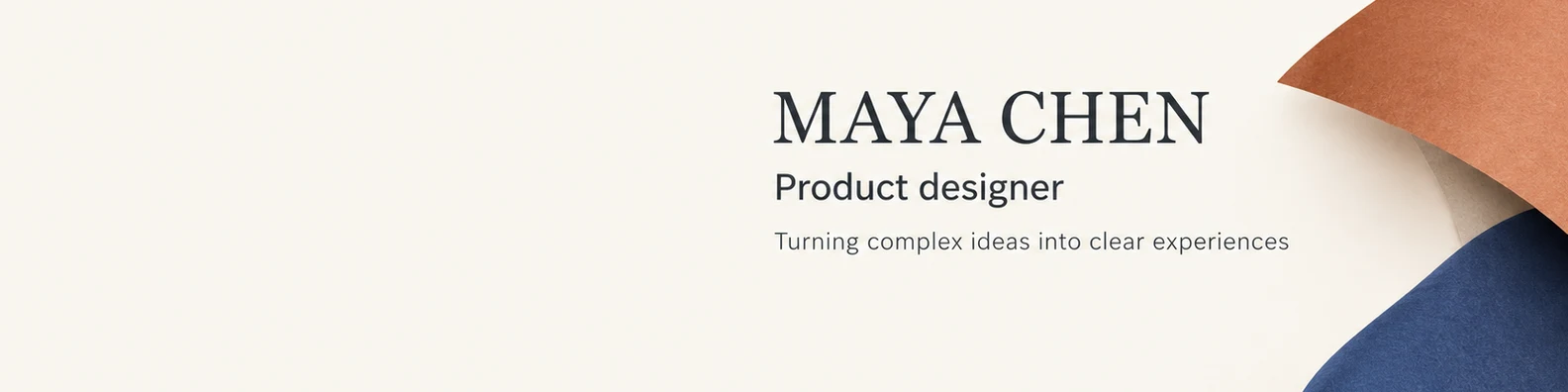
AI-generated Maya Chen LinkedIn cover with a product designer headline, ivory background and folded-paper forms.
GPT Image 2.5 Flare

A designer’s LinkedIn cover

Maya Chen · A professional cover introducing a fictional product designer and her design focus.

Fills the prompt and model. Does not generate or spend credits.

View the full generation prompt

AI generated · Fictional brief

Model
GPT Image 2.5 Flare
Export
1584 × 396 px
Source
1672 × 941 px

Cropped, resized and exported as WebP

Create one finished LinkedIn personal-profile cover for an entirely fictional product designer named Maya Chen. Final target is a very wide 4:1 banner, 1584 by 396 pixels. If you must produce a 16:9 source image, treat its central horizontal band as the finished banner and keep all text between 37 and 59 percent of the full image height, with decorative continuation above and below for later cropping. Use a quiet warm-ivory background, charcoal typography, muted terracotta and indigo abstract folded-paper forms on the far right, precise editorial spacing and understated sophistication. Keep the lower-left region empty for a platform profile-photo overlay. Do not include a portrait, avatar circle, social-platform logo, platform interface, or an actual LinkedIn screenshot. Place a compact, left-aligned typography block in the center-right, between 35 and 82 percent of canvas width. Exact text only: large "MAYA CHEN"; medium "Product designer"; smaller "Turning complex ideas into clear experiences". Every line must survive the final 4:1 center crop. Do not put text in the top or bottom decorative continuation. No contact details, employer logos, awards, sales CTA, extra text or watermark. Deliver one flat original cover artwork.

The prompt retains the brief’s requested dimensions; actual export dimensions are listed above. New generations will vary.

How to use this tool

  1. 01

    Describe your professional identity

    Start with your role or industry, two colors and a visual direction. Add a reference image if you have a visual you are allowed to use. Avoid including private company information.

  2. 02

    Generate and choose the crop

    The AI creates a source image. Use the crop tool to move its focal point within the much wider LinkedIn canvas. Keep important details away from the profile-photo area.

  3. 03

    Export and check on LinkedIn

    Download a 1584 × 396 PNG or JPEG, open your LinkedIn profile and change the cover image. Review the platform preview before applying it.

A cover for your personal profile

A LinkedIn personal background has a 4:1 shape. A square portrait or a standard 16:9 image loses substantial vertical content when cropped to this shape. Our crop preview shows the part that will remain without stretching the image.

This tool targets personal profiles. LinkedIn company pages and other placements have different layouts; a personal cover should not be treated as a universal LinkedIn asset.

Leave room for your profile photo

Your cover sits behind your profile photo. The avatar guide is an illustration, not a guaranteed safe area: placement changes with the screen and LinkedIn layout. Keep critical graphics clear of the lower-left region and check both desktop and mobile after upload.

Simple backgrounds usually survive this narrow crop better than detailed scenes. For a professional cover, a small number of colors and a clear focal point also leave your name, headline and profile photo easy to read.

What you can edit here

You can write a prompt, supply a reference image, reposition the crop and export exact pixels. The result is a flattened image, not editable text or design layers. For an exact company name, slogan or logo, add your approved artwork in a design editor and upload that finished image to the crop tool.

The local crop tool accepts PNG, JPEG and WebP source images. LinkedIn exports are PNG or JPEG and must be smaller than 8 MB. Enlarging a small source changes its pixel dimensions but does not restore missing detail.

Platform specification reference: LinkedIn cover image specifications. Confirm the platform's current guidance and upload preview before publishing.

Frequently asked questions

Is the LinkedIn banner maker free?

Cropping and exporting your own image is free and needs no sign-in. AI generation requires an account and uses 2 credits per image. A new account receives 5 trial credits; additional generation uses purchased credits.

Can I use my existing brand image?

Yes. Upload it directly to the local crop tool, or use an authorized image as an AI reference. A generation reference is sent to the image service; a file used only in the crop tool stays in your browser.

Why does my image look different after upload?

LinkedIn adapts its cover display to different screens and overlays your profile photo. Our preview helps with composition but cannot reproduce every platform layout.

AI LinkedIn Banner Generator — Profile Cover Maker | AIBanner